Centralized Code Library
This example uses a Maestro Form for a simple Home Loan onboarding process for Maguire Financial. We created three Centralized Code Library classes named BaseModel, Applicant, and Address, and define two assignable Fluent Functions, MyAssignableFluentFormFunc and MyAssignableFluentFunction, which are configured as global functions.
After assigning client (SDK) to these functions, it's time to add MyAssignableFluentFormFunc to trigger automatically on form update events. Inside this function, another function is invoked to pass the Applicant object by reference to ensure that changes are consistently reflected throughout the form.
Developers can create a dedicated SDK project to build a Centralized Code Library. This project generates two types of artifacts:
- A
.zipfile (the default), which is a typical TJM archive used to import the Centralized Code Library into TJM. - A
.jarfile, which can be referenced by developers in another SDK project (typically a Solution SDK project) for testing.
Steps to build the example
1. Define Maven coordinates
See Maven Setup for complete configuration details.
2. Configure Artifact Type (optional)
By default, the project builds a .zip file. If a .jar file is also required for use in another SDK project, developers must add the following plugin:
<plugin>
  <groupId>org.codehaus.gmavenplus</groupId>
  <artifactId>gmavenplus-plugin</artifactId>
  <version>4.0.1</version>
  <executions>
    <execution>
      <goals>
        <goal>compile</goal>
        <goal>compileTests</goal>
      </goals>
    </execution>
  </executions>
  <configuration>
    <targetBytecode>17</targetBytecode>
  </configuration>
</plugin>
3. Define classes
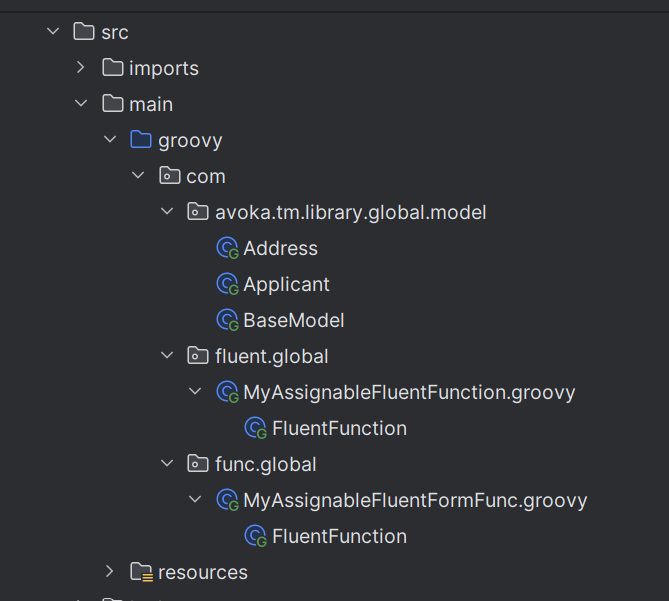
Classes in this example:
- BaseModel - Code Library
- Applicant - Code Library
- Address - Code Library
- MyAssignableFluentFormFunc - Fluent Function
- MyAssignableFluentFunction - Fluent Function
Scaffold commands:
# Scaffold a basic code library
mvn initialize tm-sdk:code-lib-scaffold

# Scaffold an assignable Fluent Function
mvn initialize tm-sdk:svc-scaffold -Dfluent.service.template="Assignable Fluent Function"
See Maven Commands for more options.
Code Library class implementations:
BaseModel.groovy
package com.avoka.tm.library.global.model

import groovy.transform.TypeChecked
import org.apache.commons.lang3.builder.ReflectionToStringBuilder

@TypeChecked
class BaseModel {
    String firstName
    String lastName

    void setFirstName(String firstName) {
        this.firstName = firstName
    }

    void setLastName(String lastName) {
        this.lastName = lastName
    }

    String getName() {
        return this.firstName + " " + this.lastName
    }

    String toString() {
        return ReflectionToStringBuilder.toString(this)
    }
}
Address.groovy
package com.avoka.tm.library.global.model

import groovy.transform.TypeChecked

@TypeChecked
class Address {
    String line1
    String line2
    String state
    String postCode
}
Applicant.groovy
package com.avoka.tm.library.global.model

import groovy.transform.TypeChecked

@TypeChecked
class Applicant extends BaseModel {
    String email
    String mobile
}
Fluent Function implementations:
MyAssignableFluentFormFunc.groovy
package com.func.global

import com.avoka.tm.func.*
import com.avoka.tm.library.global.model.Applicant
import com.avoka.tm.library.global.model.BaseModel
import com.avoka.tm.svc.FluentFuncInvoker
import com.avoka.tm.svc.*
import com.avoka.tm.util.*
import com.avoka.tm.vo.*
import groovy.transform.TypeChecked
import jakarta.servlet.http.*

@TypeChecked
class MyAssignableFluentFormFunc {

    // Injected at runtime
    public Logger logger

    /*
     * Perform Fluent Function call.
     *
     * returns: FuncResult
     */
    FuncResult invoke(FuncParam param) {

        FormFuncResult result = new FormFuncResult()

        // Use Global Code lib
        BaseModel baseModel = new BaseModel()
        baseModel.setFirstName("Joe")
        baseModel.setLastName("Bloggs")

        logger.info(baseModel.getName())

        Applicant applicant = new ObjectMapper()
                .setDoc(param.appDoc)
                .setFormXPath("/Root/AvokaSmartForm/Applicant")
                .create(Applicant.class)

        logger.info(applicant.getName())

        param.params.put("applicantCodeLibrary", applicant)

        new FluentFuncInvoker()
                .setServiceName("My Assignable Fluent Function")
                .setVersion("0.1.0")
                .invoke(param)

        return result
    }
}
MyAssignableFluentFunction.groovy
package com.fluent.global

import com.avoka.tm.func.*
import com.avoka.tm.svc.*
import com.avoka.tm.util.*
import com.avoka.tm.vo.*
import groovy.transform.TypeChecked
import jakarta.servlet.http.*
import com.avoka.tm.library.global.model.Applicant

@TypeChecked
class MyAssignableFluentFunction {

    // Injected at runtime
    public Logger logger

    /*
     * Perform Fluent Function call.
     *
     * returns: FuncResult
     */
    FuncResult invoke(FuncParam param) {

        FormFuncResult result = new FormFuncResult()
        Applicant app = (Applicant) param.params.get("applicantCodeLibrary")
        logger.info("Received Applicant Object with Name: " + app ? app.getName() : "")
        return result
    }
}
4. Deploy Code Libraries and Fluent Functions to JM
See Maven Commands for detailed command information.
mvn clean initialize code-lib-deploy
Command to deploy fluent functions:
mvn initialize svc-deploy -Dassignable=true
5. Assign client to Fluent Function
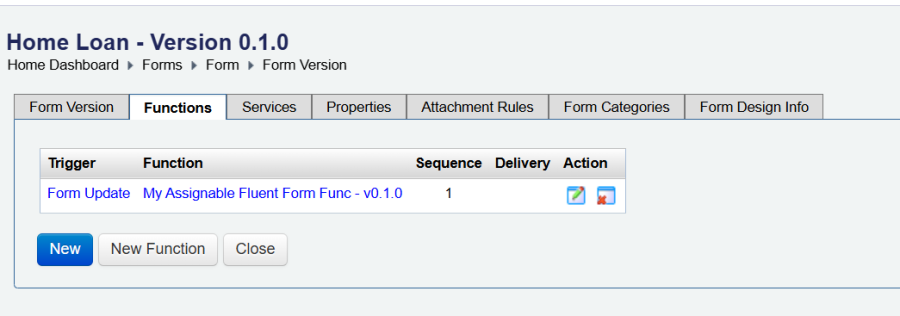
Assign the client to the newly created Fluent Function and update the 'form update' function to use the new Fluent Function, MyAssignableFluentFormFunc.


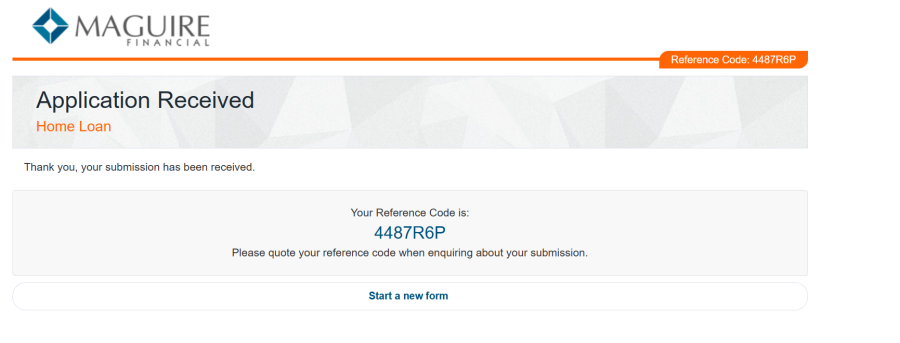
After launching the form and entering the relevant details, the reference code is 4487R6P.
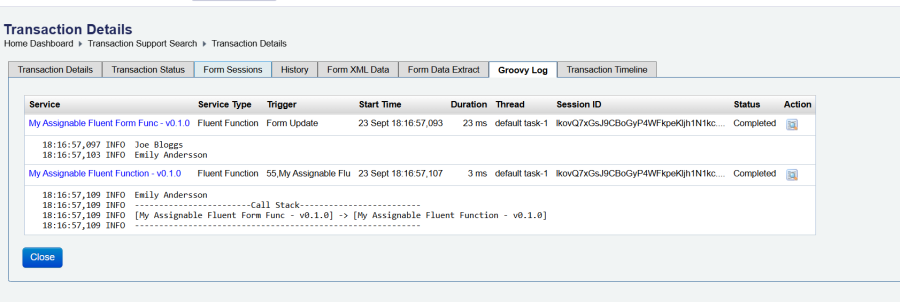
Navigating through the Manager UI to the Transaction Details and then viewing the Groovy Log, shows the global Code Libraries in a service:
Using centralized libraries in solutions
This example uses a Maestro Form for a simple Home Loan onboarding for Maguire Financial. It also uses the centralized code library created in Example 1. Start by creating a new code library class named SolutionApplicant which extends the Applicant class from the centralized library, and then create two Fluent Functions (MyFluentFormFunc, MyFluentFunction). Add MyFluentFormFunc to trigger on form update, and inside the function, invoke another function and pass the SolutionApplicant object by reference.
1. Define dependencies to centralized Code Library
See Maven Setup for complete dependency configuration.
Add the centralized-code-lib dependency in two places in your SDK solution pom.xml:
<dependency>
    <groupId>com.avoka.tm.library</groupId>
    <artifactId>centralized-code-lib</artifactId>
    <version>1.0.0-SNAPSHOT</version>
</dependency>
<plugin>
    <groupId>com.avoka.tm</groupId>
    <artifactId>tm-sdk-maven-plugin</artifactId>
    <version>${version.tm.sdk.and.tm.sdk.plugin}</version>
    <dependencies>
        <dependency>
            <groupId>com.avoka.tm.library</groupId>
            <artifactId>centralized-code-lib</artifactId>
            <version>1.0.0-SNAPSHOT</version>
        </dependency>
    </dependencies>
</plugin>
2. Define classes
Classes in this example:
- SolutionApplicant - Code Library
- MyFluentFunction - Fluent Function
- MyFluentFormFunc - Fluent Function
Scaffold command:
mvn initialize tm-sdk:code-lib-scaffold \
  -DlibPackageName="com.avoka.tm.library.solution" \
  -DlibClassName=SolutionApplicant
Code Library class implementation:
SolutionApplicant.groovy
package com.avoka.tm.library.solution

import com.avoka.tm.library.global.model.Applicant
import groovy.transform.TypeChecked

@TypeChecked
class SolutionApplicant extends Applicant {
    String accountName
}
Fluent Function implementations:
MyFluentFunction.groovy
package com.fluent

import com.avoka.tm.func.*
import com.avoka.tm.library.solution.SolutionApplicant
import com.avoka.tm.svc.*
import com.avoka.tm.util.*
import com.avoka.tm.vo.*
import groovy.transform.TypeChecked
import jakarta.servlet.http.*

@TypeChecked
class MyFluentFunction {

    // Injected at runtime
    public Logger logger

    /*
     * Perform Fluent Function call.
     *
     * returns: FuncResult
     */
    FuncResult invoke(FuncParam param) {

        FormFuncResult result = new FormFuncResult()
        SolutionApplicant app = (SolutionApplicant) param.params.get("applicantCodeLibrary")
        logger.info("Received Solution Applicant Object with Account Name: " + app ? app.getAccountName() : "")
        return result
    }
}
MyFluentFormFunc.groovy
package com.func

import com.avoka.tm.func.*
import com.avoka.tm.library.global.model.BaseModel
import com.avoka.tm.library.solution.SolutionApplicant
import com.avoka.tm.svc.*
import com.avoka.tm.util.*
import com.avoka.tm.vo.*
import groovy.transform.TypeChecked
import jakarta.servlet.http.*

@TypeChecked
class MyFluentFormFunc {

    // Injected at runtime
    public Logger logger

    /*
     * Perform Fluent Function call.
     *
     * returns: FuncResult
     */
    FuncResult invoke(FuncParam param) {

        FormFuncResult result = new FormFuncResult()

        // Use Global Code lib
        BaseModel baseModel = new BaseModel()
        baseModel.setFirstName("Joe")
        baseModel.setLastName("Bloggs")

        logger.info(baseModel.getName())

        SolutionApplicant applicant = new ObjectMapper()
                .setDoc(param.appDoc)
                .setFormXPath("/Root/AvokaSmartForm/Applicant")
                .create(SolutionApplicant.class)

        applicant.setAccountName("Account" + applicant.getName())

        logger.info(applicant.getName())

        param.params.put("applicantCodeLibrary", applicant)

        new FluentFuncInvoker()
                .setServiceName("MyFluentFunction")
                .setVersion("1.0.0")
                .invoke(param)

        return result
    }
}
3. Deploy Code Libraries and update form configuration
Deploy code libraries:
mvn clean initialize app-deploy
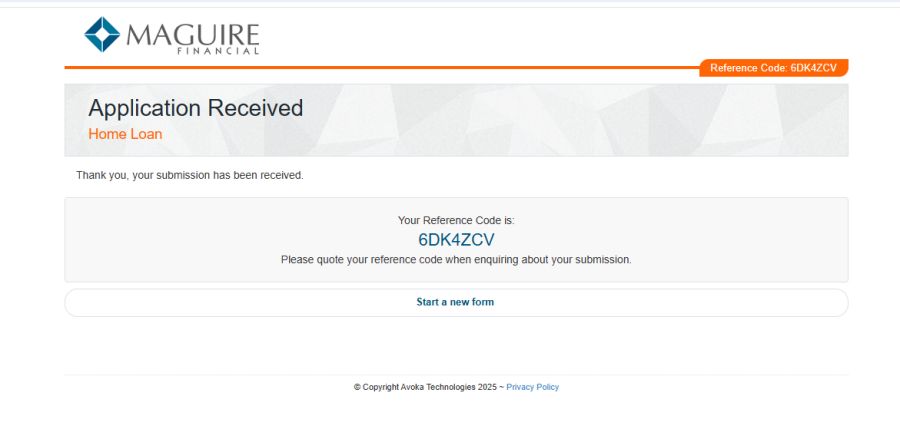
Update the 'form update' function to use the new Fluent Function, MyFluentFormFunc.


After launching the form and entering the relevant details, the reference code is 6DK4ZCV.
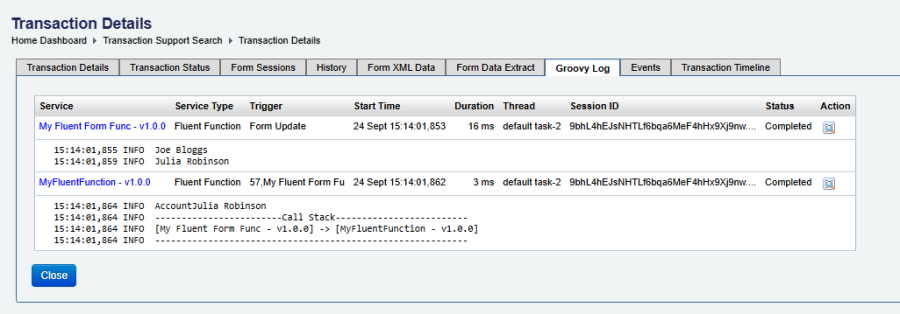
Navigating through the Manager UI to the Transaction Details and viewing the Groovy Log, shows the use a mix of global and solution Code Libraries in services: