Australian ID Validation Rule Example
MaestroThe UI design product. | Form Builder | All versions This feature is related to all versions.
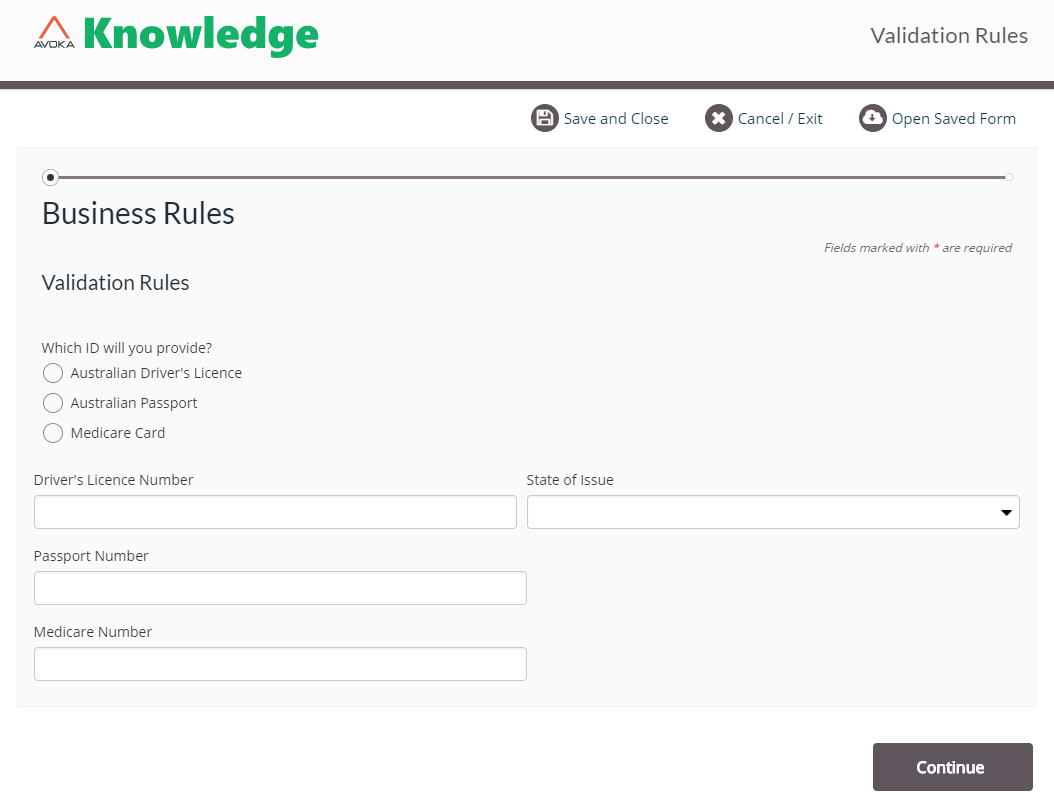
This example uses three validation rules to check the input from a user who is attempting to identify themselves. The form below provides several ID options, which the user can chose from and then provide the appropriate ID information in to components.
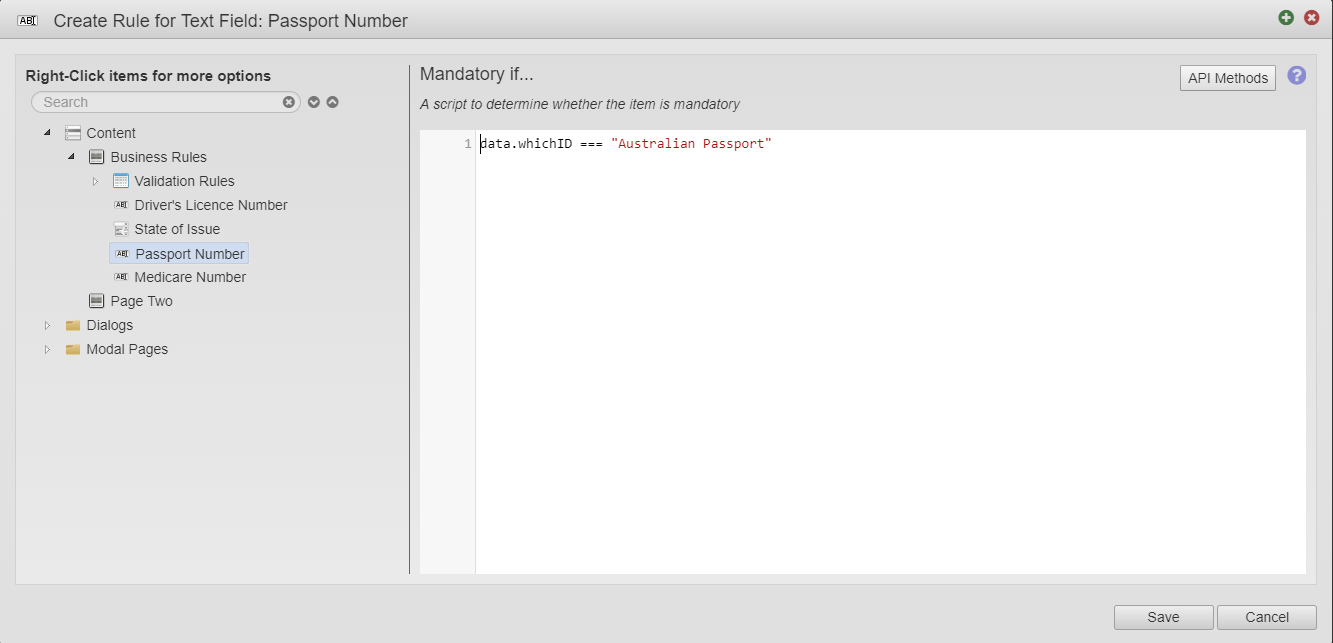
This Mandatory if rule applies a script to the Passport Number text field.
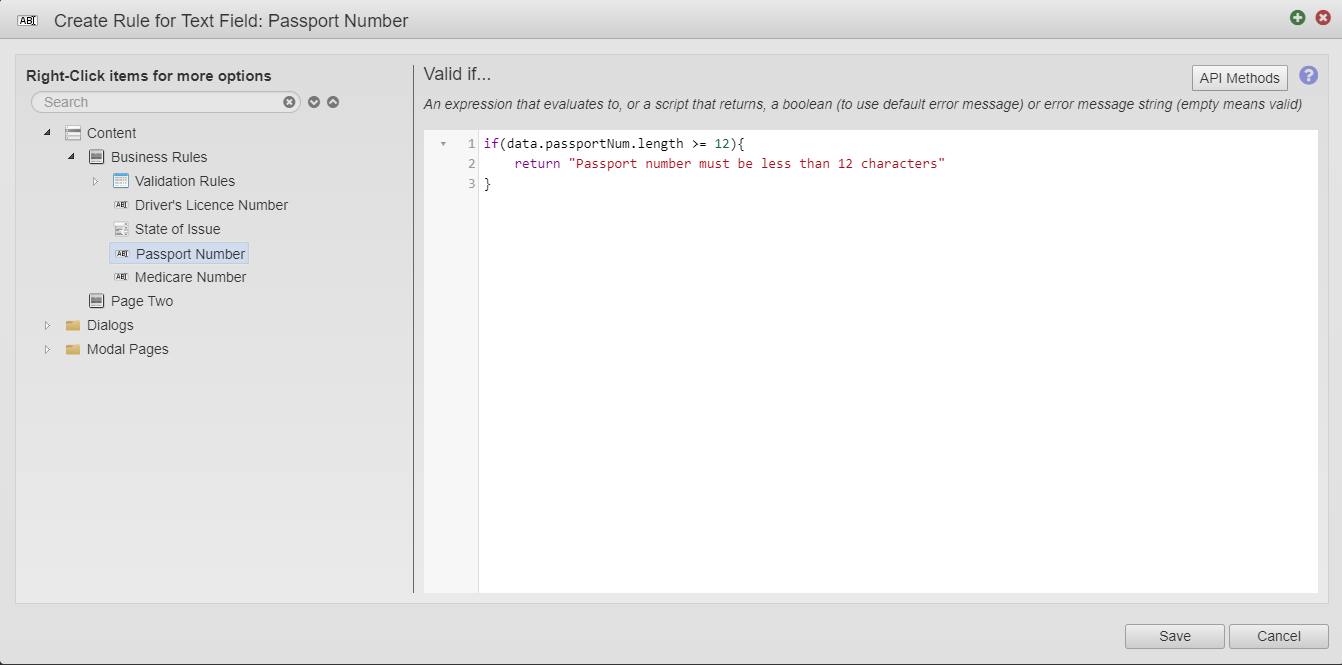
This Valid If rule applies a script to the Passport Number text field, which checks if its input data exceeds or is equal to 12 characters long and deems it invalid and show the error "Passport number must be less than 12 characters" message to the user.
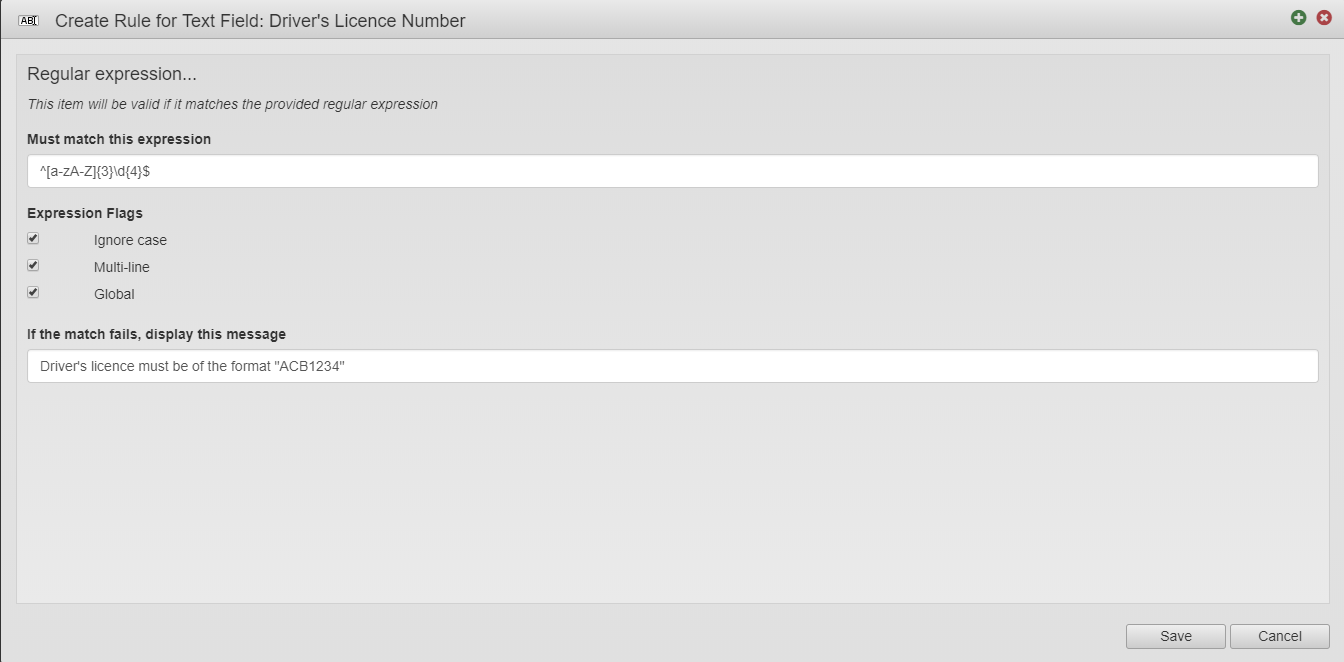
Next rule is a Regular expression that has been applied to the Driver's License text field. In this script, all input of the text field must match the expression ^[a-zA-Z]{3}\d{4}$ and if the input does NOT match this expression, then the message, "Driver's license must be of the format "ACB1234" is displayed to the user.
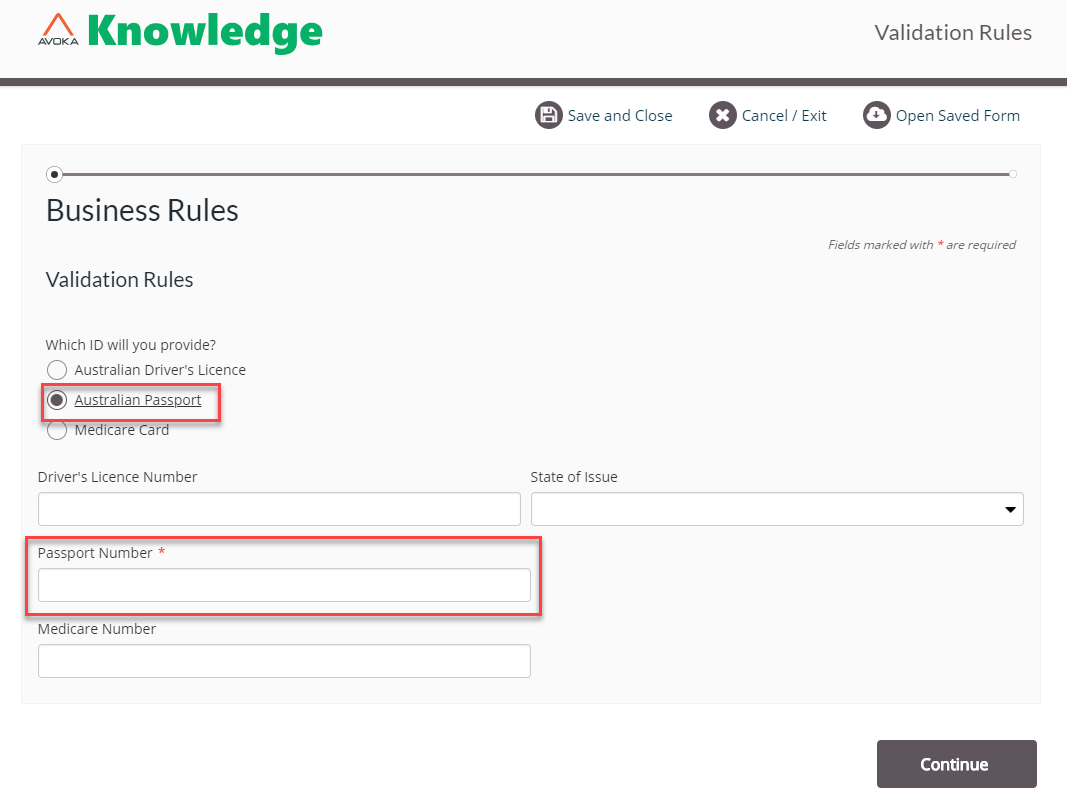
This displays the form that has been built and then the user has selected. "Australian Passport" from the radio button group. This selection has triggered the mandatory rule and the Passport Number text field has now been made mandatory.
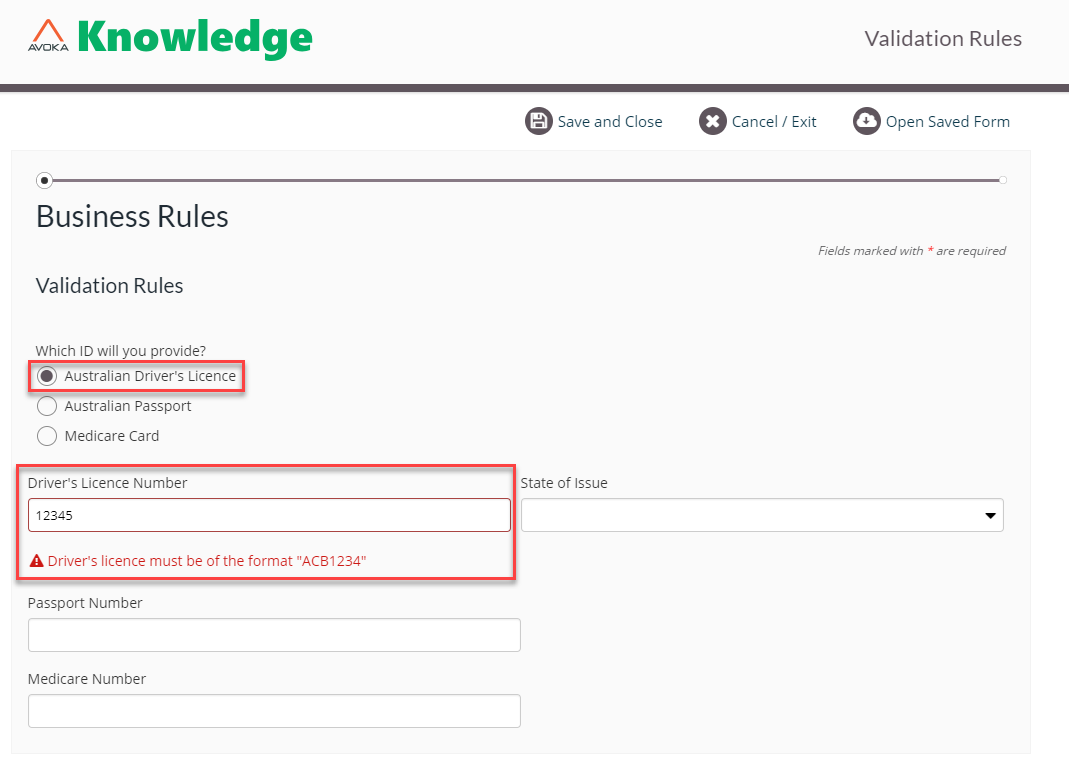
This displays the error message when the input of the Driver's License is not successfully validated.