
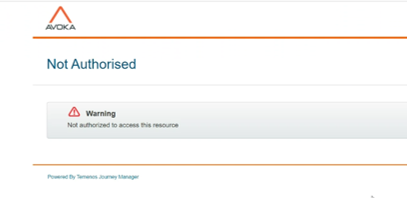
This article outlines a specific scenario where users encounter a 'Not Authorized' error when accessing forms via a submit key URL after a specified date. It details the root cause, analysis, and resolution steps to help users and administrators understand and resolve the issue.
Applicable To
- Product Name: Journey Manager (TJM)
- Module/Component: Collaboration Jobs / Form Access via Submit Key URL
- Versions: All versions
Prerequisites
- Access to the Journey Manager environment.
- Permissions to view and edit Collaboration Jobs.
- Submit key URL for testing.
Problem
Users reported that when attempting to open a form using a submit key, for example, https://forms.com/abc/secure/servlet/SmartForm.html?submitKey=xxxxxxxxx), they receive a 'Not Authorized' error and a 302 status message in the browser console.
This issue only affects transactions submitted after a certain date. Transactions submitted before this specified date open without any issues.
Steps to Reproduce
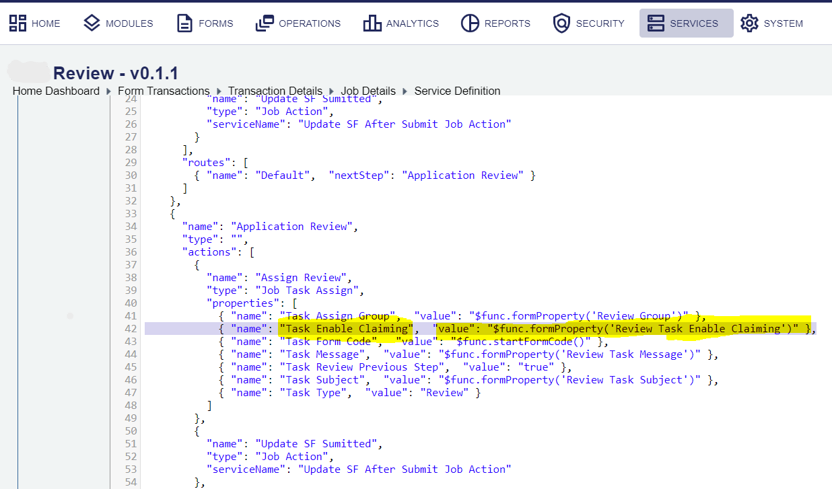
- Submit a transaction via the Journey Manager by changing the value of Task Enable Claiming to true in the Collaboration Job definition.
- Attempt to open the form using the generated submit key URL.
- Observe the error message: 'Not Authorized'.
- Check the browser console and note the 302 status message.
- You would observe the transaction submitted having the Task Enable Claiming as false opens successfully.
Resolution
- Identify the collaboration job service used in the form submission.
-
Identify that the 'Task Enable Claiming' setting was changed and update it to false in the collaboration job configuration.
- Retest the form access using the submit key. The issue should be resolved.
Note: Task claiming setting is an additional configuration in the job definition. It can be configured for Group tasks, and it allows only one user to edit the task.
References
Refer to the documentation for more details on task claiming configuration.