Task Tab
Journey Manager (JM) The transaction engine for the platform. | System Manager / DevOps | 22.04 This feature was introduced in 22.04.
The Task tab shows information relating to a task transaction. Similar information is available in the Journey Manager console; for details, see Transaction Status.
This tab contains information separated into the following sections.
- Task Details: View and manage task details.
- Task Status: View and manage the task status.
This tab is displayed if the value of the Task Type field (on the Task Details card) is "Form" or "Review".
The Operations portal implements a "hide empty" policy on UI elements when no information is available for them.
- Each card is hidden if all of the fields it contains are empty.
- The Task tab is hidden if all of its cards are hidden.
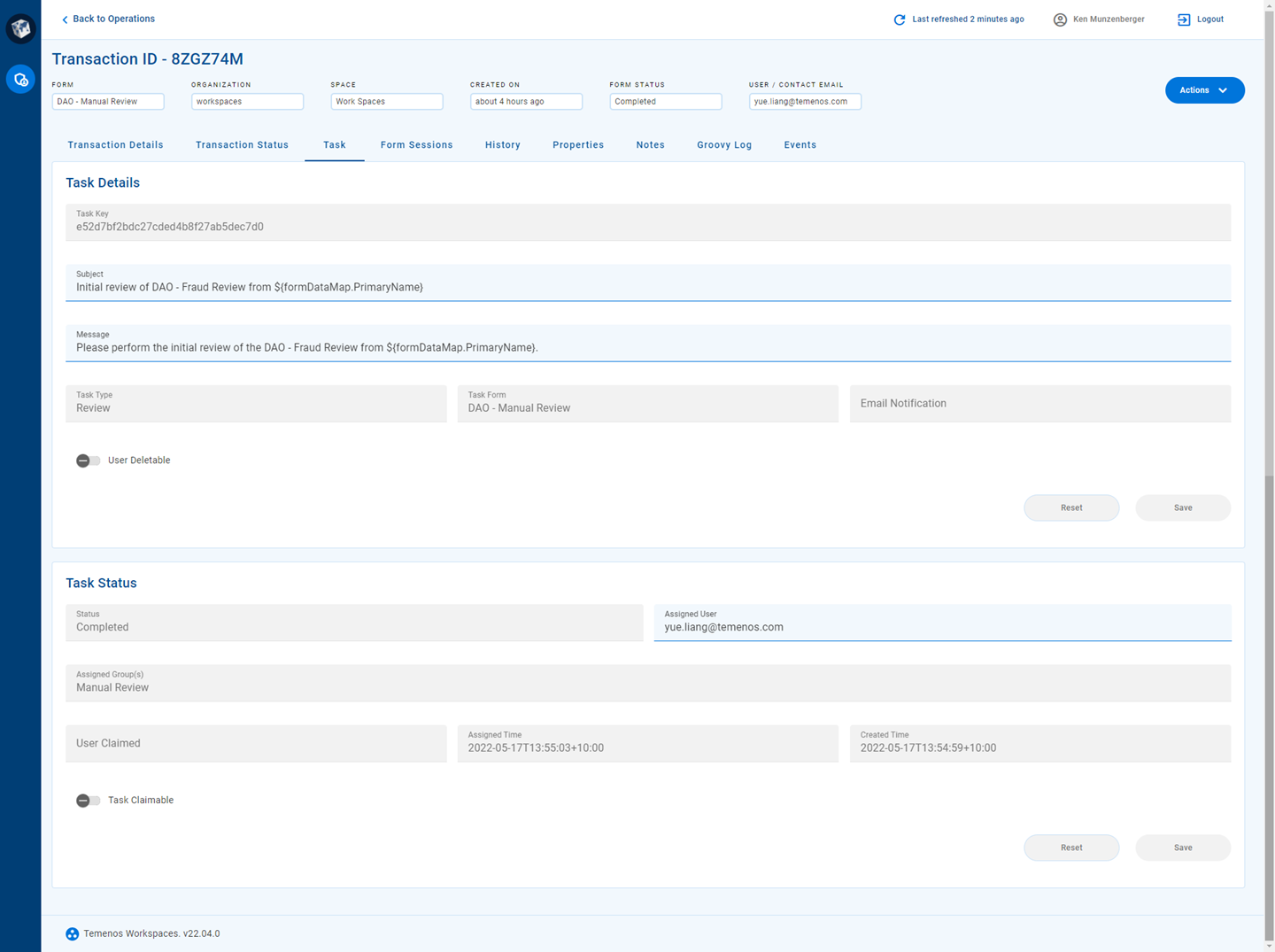
Task Details
The Task Details section displays information for the following fields. Fields marked with an asterisk (*) can be updated in this section.
- Submit Key
- Task Key
- Subject*: To update this field, enter a value and click Save.
- *: To update this field, enter a value and click Save.
- Task Type
- Task Form
- Email Notification
- User Deletable
Similar information is available in the Journey Manager console on the Transaction Details page, Task tab, Task Details section.
Task Status
The Task Status section displays information for the following fields. Fields marked with an asterisk (*) can be updated in this section.
- Submit Key
- Status
- Assigned User*: To update this field, enter a value and click Save.
- Assigned Group(s)
- User Claimed
- Assigned Time
- Created Time
- Task Claimable
Similar information is available in the Journey Manager console on the Transaction Details page, Task tab, Task Status section.